How To Recover Deleted Instagram Messages
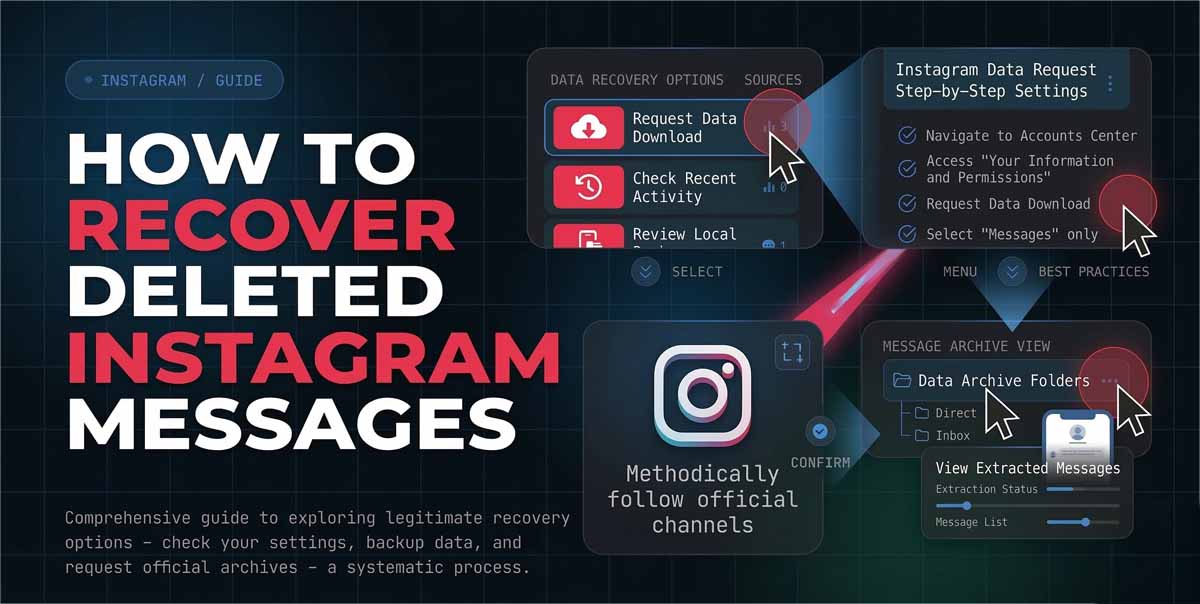
Losing a DM thread can feel permanent, but recovery depends on what was deleted and where. A chat removed from your inbox is different from a message you unsent for everyone, and both are different from disappearing texts.
Understanding What Deleted Means In Instagram DMs
Before trying any tool, identify the action you took. If you deleted a chat, Instagram removes it from your inbox, yet the other person may still have their copy. If you deleted specific lines only on your side, you can remove a message for you without removing it for the other person, and Instagram also offers Unsend to remove a message you sent from the chat for everyone. The Unsend flow is documented in Instagram Help Center instructions.
If you are googling how to recover deleted instagram messages 2025, start here because the best next step changes with the deletion type. If you need to know how to recover recently deleted messages on instagram, note that Instagram’s Recently Deleted feature is designed for media like posts, reels, stories, and videos, not for direct messages.
Try The Official Instagram Data Download First
For most DM loss cases, your first attempt should be Instagram’s export. Instagram lets you review and export a copy of your information through Accounts Center, where you can choose a date range and select messages in the export. This is also the most legitimate answer to how to recover deleted messages on instagram and how to recover deleted messages from instagram, because it relies on Meta’s tools rather than third party apps.
A workflow that works on mobile and desktop is:
Open Accounts Center, go to Your information and permissions, choose Export your information, select Download to device, pick a date range, and request the file. Choose HTML for easy reading, or JSON for searching and machine readable archives you can parse later. When your archive arrives, open the messages folder in the downloaded package and search the conversation name or participant handle.
If your chats are end to end encrypted, use the dedicated export for those chats. Meta provides a separate Download end to end encrypted data option, accessible from Your activity, and it can include message data that does not appear in a standard export. This step is often overlooked by people searching how to recover deleted instagram direct messages, then assuming recovery is impossible.
Check Hidden Places In Your Inbox And Devices
Many users think they deleted messages when the thread is simply no longer visible where they expect. If you are searching recover deleted instagram messages how to, run these quick checks before you escalate to backups:
Check Message Requests and Hidden Requests, since accounts you do not follow can land there.Confirm you are logged into the same Instagram profile that originally held the conversation, especially if you manage multiple accounts. Search the participant name inside the DM search bar rather than scrolling, since older threads can be buried. If you still cannot find the thread, ask the other participant. If you deleted only on your side, they can often screenshot or forward key messages back to you. This is the most reliable workaround for how to recover instagram deleted messages when server side exports do not contain what you need.
iPhone And Backup Options For Message Recovery
If you are researching how to recover deleted instagram messages on iphone, understand the limitation: Instagram DMs live primarily on Instagram’s servers, not as a local text database you can browse like the iOS Messages app. Your best iPhone option is restoring an iCloud or Finder backup from a date before the deletion, then checking whether the Instagram app session still displays the thread. Use this path only for critical chats, because a full device restore can overwrite data. Also, if you used Unsend, the message was removed on the server for everyone, and a local restore will not bring it back.
For people typing how to recover deleted text messages on instagram, be careful about mixing concepts. Apple’s Recently Deleted feature in the Messages app applies to SMS and iMessage, not to Instagram DMs, so the steps are not interchangeable.
What You Cannot Recover And How To Avoid Scams
Some things are designed to be irreversible. Unsent messages are removed from the chat for everyone.
Vanish Mode style disappearing messages are meant to vanish after being seen, so there is usually no official way to retrieve them later. If you search how to recover deleted messages instagram you will find sites that promise instant recovery by asking for your login, adding a bot to your account, or installing unknown software. Avoid them. Instagram provides official export routes, and anything that demands your password outside the app is a security risk. Also remember that Instagram’s Recently Deleted folder is for media content, not DMs, so any page claiming you can restore DMs there is misleading.
Prevention Tips And A Quick Troubleshooting Map
If you rely on DMs for work, treat them like important documents. Export your data periodically and store it securely. For critical details, save a copy outside Instagram, for example in a password manager note or an encrypted notes app.
Here is a simple decision map for how to recover deleted messages in instagram:
If you deleted a chat from your inbox, ask the other person for a copy and run a standard export.
If you used Unsend, assume it is gone and focus on preventing future loss.
If messages are encrypted, run the end to end encrypted export route.
If you suspect an iPhone app state issue, consider a backup restore as a last resort.