Tạo và chỉnh sửa ảnh AI với Copilot
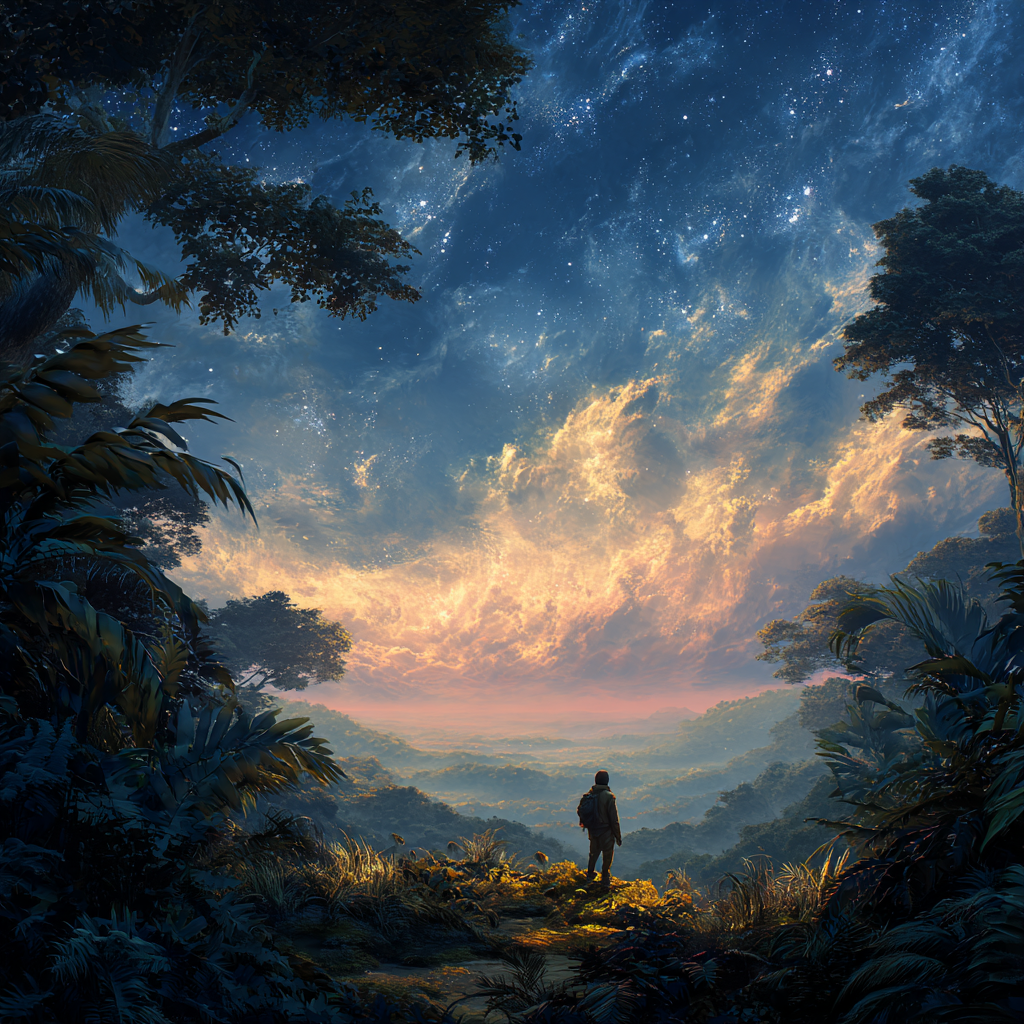
Biến Ý Tưởng Thành Hình Ảnh Với Copilot
Giải phóng sự sáng tạo của bạn và biến những ý tưởng táo bạo nhất thành hiện thực với Microsoft Copilot, trình tạo và chỉnh sửa ảnh AI trực quan của bạn. Dù bạn là người mới bắt đầu bước chân vào thế giới nghệ thuật AI hay là một người sáng tạo dày dạn kinh nghiệm đang tìm kiếm quy trình làm việc hiệu quả, Copilot cung cấp một nền tảng mạnh mẽ nhưng dễ tiếp cận để tạo ra những hình ảnh độc đáo. Đã qua rồi cái thời phần mềm phức tạp và đường cong học tập dốc; Copilot cho phép bạn tạo ra những hình ảnh tuyệt đẹp từ các gợi ý văn bản đơn giản, làm cho việc tạo ảnh AI trở thành khả năng hàng ngày cho tất cả mọi người.
Copilot tận dụng các mô hình AI tiên tiến để chuyển đổi ngôn ngữ mô tả của bạn thành hình ảnh hấp dẫn, loại bỏ các rào cản truyền thống liên quan đến việc tạo ảnh. Điều này có nghĩa là bạn có thể tập trung vào tầm nhìn của mình, thay vì phải thành thạo các công cụ thiết kế phức tạp. Từ những miêu tả chân thực đến những minh họa giàu trí tưởng tượng, Copilot hỗ trợ nhiều phong cách nghệ thuật, cho phép khám phá và thể hiện không giới hạn. Khả năng này làm cho nó trở thành một công cụ vô giá cho sinh viên, nghệ sĩ, nhà thiết kế và bất kỳ ai muốn hình dung suy nghĩ của họ một cách nhanh chóng và hiệu quả.
Tạo Ảnh Từ Gợi Ý Văn Bản
Phép màu cốt lõi của Copilot nằm ở khả năng tạo ảnh trực tiếp từ mô tả văn bản của bạn. Quá trình này cực kỳ đơn giản: chỉ cần diễn đạt những gì bạn hình dung, và Copilot sẽ biến lời nói của bạn thành nghệ thuật thị giác. Chìa khóa để mở ra toàn bộ tiềm năng của Copilot nằm ở chi tiết của các gợi ý của bạn. Hãy suy nghĩ về tâm trạng bạn muốn truyền tải, bảng màu, chủ đề bao quát và bất kỳ yếu tố cụ thể nào bạn muốn đưa vào. Ví dụ, thay vì một yêu cầu chung chung, hãy thử mô tả một “khung cảnh rừng yên bình dưới ánh sáng vàng, với lớp sương mù nhẹ bốc lên khỏi mặt đất, theo phong cách màu nước như tranh vẽ.”
Soạn Thảo Gợi Ý Hiệu Quả
Để đạt được kết quả tốt nhất, bạn nên cụ thể. Hãy xem xét các yếu tố như phong cách nghệ thuật, góc máy, bố cục chủ thể và thậm chí cả tông màu cảm xúc mong muốn. Việc cung cấp các gợi ý như “ánh sáng điện ảnh” hoặc “bố cục tối giản” có thể ảnh hưởng đáng kể đến kết quả đầu ra. Nếu lần tạo ban đầu không hoàn toàn như bạn mong đợi, đừng lo lắng – lặp lại là một phần tự nhiên của quá trình sáng tạo. Điều chỉnh gợi ý của bạn, thử nghiệm với các từ khóa khác nhau hoặc khám phá các biến thể về phong cách và bố cục để tinh chỉnh hình ảnh của bạn cho đến khi nó hoàn toàn phù hợp với tầm nhìn của bạn. Các gợi ý sẵn sàng sử dụng trong phần ‘Tạo’ của Copilot cũng có thể đóng vai trò là điểm khởi đầu tuyệt vời cho những người mới bắt đầu tạo ảnh AI.
Chỉnh Sửa và Tinh Chỉnh Ảnh Được Tạo Bởi AI
Copilot không chỉ là một trình tạo; nó còn là một trình chỉnh sửa ảnh AI mạnh mẽ. Tính năng này cho phép bạn sửa đổi và nâng cao hình ảnh bằng các hướng dẫn ngôn ngữ đơn giản, bỏ qua nhu cầu về phần mềm chỉnh sửa truyền thống, thường phức tạp. Cho dù bạn vừa tạo một hình ảnh hay tải lên một bức ảnh cá nhân, Copilot đều có thể giúp bạn thực hiện các thay đổi. Ví dụ, bạn có thể yêu cầu Copilot “điều chỉnh ánh sáng để trở nên kịch tính hơn,” “thay đổi nền thành một con phố thành phố nhộn nhịp,” hoặc “thêm bộ lọc cổ điển cho hình ảnh.”
Sửa Đổi Ảnh Trực Quan
Cách tiếp cận chỉnh sửa dựa trên văn bản này loại bỏ các rào cản kỹ thuật, cho phép bất kỳ ai cũng có thể điều chỉnh hình ảnh một cách dễ dàng. Bạn có thể tinh chỉnh các chi tiết như màu sắc, bố cục và thậm chí cả phong cách nghệ thuật. Nếu bạn có một bức ảnh muốn làm lại, Copilot hỗ trợ tải lên hình ảnh cá nhân, hoạt động như một trình sửa đổi ảnh AI. Sự linh hoạt này đảm bảo rằng Copilot có thể hỗ trợ ở các giai đoạn khác nhau trong quy trình sáng tạo của bạn, từ ý tưởng ban đầu đến hoàn thiện cuối cùng, làm cho nó trở thành một công cụ không thể thiếu để hiện thực hóa ý tưởng hình ảnh của bạn.
Khám Phá Các Phong Cách Ảnh AI Đa Dạng
Một trong những tính năng nổi bật của Copilot là khả năng tạo ảnh theo nhiều phong cách nghệ thuật. Sự linh hoạt này cho phép bạn khám phá một phổ sáng tạo rộng lớn, từ ảnh chân thực nhất đến các nhân vật hoạt hình ngộ nghĩnh, màu nước tinh tế và minh họa sống động. Cho dù dự án của bạn yêu cầu một cái nhìn chuyên nghiệp, bóng bẩy hay cảm giác nghệ thuật và biểu cảm hơn, Copilot đều có thể thích ứng. Việc thử nghiệm với các phong cách khác nhau có thể dẫn đến những kết quả bất ngờ và thú vị, đẩy giới hạn trí tưởng tượng của bạn.
Phong Cách Như Một Công Cụ Kể Chuyện
Việc lựa chọn phong cách có thể tác động sâu sắc đến thông điệp và cảm xúc của một hình ảnh. Một hình ảnh chân thực có thể truyền tải cảm giác báo cáo thực tế, trong khi phong cách hoạt hình có thể phù hợp với sự hài hước hoặc đơn giản. Một tác phẩm trừu tượng có thể gợi lên những cảm xúc phức tạp và một bức tranh màu nước có thể gợi ý một bầu không khí mơ mộng hoặc nhẹ nhàng. Copilot giúp dễ dàng chuyển đổi giữa các phong cách này bằng các điều chỉnh gợi ý đơn giản, cho phép bạn điều chỉnh hình ảnh của mình một cách chính xác theo nhu cầu tường thuật và sở thích nghệ thuật, tất cả trong một nền tảng gắn kết duy nhất.
Khả Năng Tiếp Cận và Chức Năng Đa Thiết Bị
Copilot được thiết kế với khả năng tiếp cận là cốt lõi, đảm bảo rằng các công cụ tạo và chỉnh sửa ảnh AI mạnh mẽ có sẵn cho mọi người, bất kể nền tảng kỹ thuật hoặc vị trí của họ. Nền tảng có thể truy cập được trên nhiều thiết bị, bao gồm Windows, Mac, iOS và Android. Điều này có nghĩa là bạn có thể bắt đầu tạo hoặc chỉnh sửa ảnh trên máy tính để bàn và tiếp tục quá trình đó một cách liền mạch trên máy tính bảng hoặc điện thoại thông minh của mình, phù hợp với quy trình làm việc sáng tạo vào thói quen hàng ngày của bạn, mọi lúc mọi nơi.
Trao Quyền Sáng Tạo Hàng Ngày
Việc Copilot có sẵn trên các thiết bị biến nó từ một công cụ chuyên biệt thành một người bạn đồng hành thiết thực cho sự sáng tạo hàng ngày. Học sinh có thể động não hình ảnh dự án khi đang di chuyển, các chuyên gia có thể nhanh chóng tạo tài sản trình bày và những người có sở thích có thể dễ dàng biến các dự án sáng tạo cá nhân thành hiện thực. Việc Copilot có thể tạo ảnh miễn phí, với giới hạn sử dụng tiềm năng khác nhau tùy theo địa điểm và nhu cầu, càng dân chủ hóa quyền truy cập vào công nghệ sáng tạo tiên tiến. Khả năng truy cập rộng rãi này đảm bảo rằng cảm hứng có thể được ghi lại và biến thành hình ảnh bất cứ khi nào và bất cứ nơi nào nó xuất hiện.
Quy Trình Đồng Sáng Tạo Động
Làm việc với Copilot là một trải nghiệm tương tác và năng động. Nó không chỉ đơn thuần là đưa ra một lệnh và nhận kết quả tĩnh; đó là một quá trình hợp tác nơi bạn và AI làm việc cùng nhau để đạt được kết quả mong muốn. Khả năng lặp lại trên các hình ảnh đã tạo trong giao diện trò chuyện cho phép tinh chỉnh liên tục. Bạn có thể khám phá các biến thể, điều chỉnh bố cục và tinh chỉnh phong cách, làm cho hành trình sáng tạo trở nên hấp dẫn và cá nhân hóa cao. Cách tiếp cận lặp đi lặp lại này đảm bảo rằng hình ảnh cuối cùng thực sự phản ánh tầm nhìn đang phát triển của bạn.
Từ Ý Tưởng Đến Câu Chuyện Hình Ảnh
Cuối cùng, Copilot hoạt động như một sự mở rộng của chính khả năng sáng tạo của bạn, cung cấp sức mạnh công nghệ để hiện thực hóa các ý tưởng hình ảnh phức tạp với tốc độ và sự dễ dàng đáng kinh ngạc. Bằng cách chấp nhận bản chất lặp đi lặp lại của việc tạo và chỉnh sửa ảnh AI, người dùng có thể vượt ra ngoài các khái niệm tĩnh để phát triển các câu chuyện hình ảnh phong phú. Cho dù bạn đang tạo tài liệu tiếp thị, minh họa một câu chuyện hay chỉ đơn giản là khám phá các khái niệm nghệ thuật, Copilot cho phép bạn kể câu chuyện hình ảnh của mình với sự lưu loát và tự tin chưa từng có, biến mọi ý tưởng thành một kiệt tác tiềm năng.